What Is the Samsung UB Error?
If your Samsung washing machine isn’t spinning, it’s usually caused by the UB/UE unbalanced load error. This guide shows you the fastest fixes anyone can do at home.
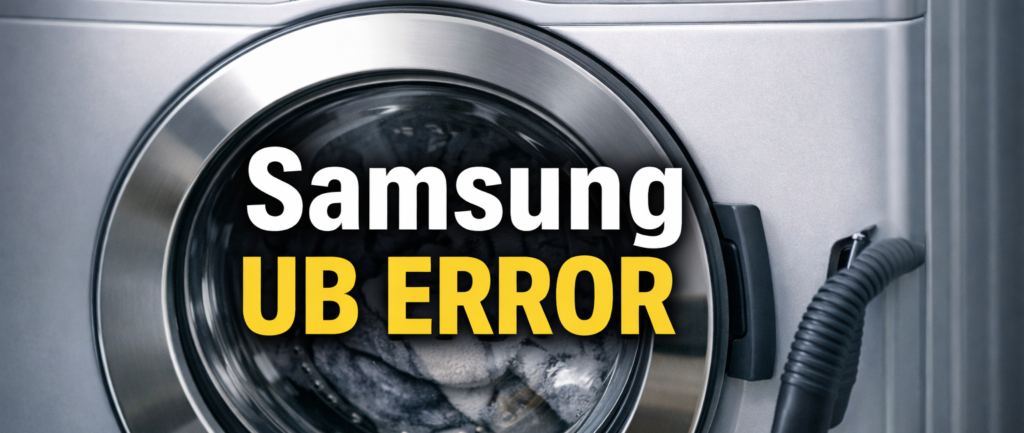
The Samsung UB Error appears when your washing machine becomes unbalanced during the spin cycle. This usually happens when the load inside the drum is uneven, too heavy, too light, or when the machine itself isn’t level. When the washer detects that the drum can’t spin safely, it stops the cycle to prevent damage. The UB Error is one of the most common issues on Samsung washers, but the good news is that it’s also one of the easiest to fix.
Understanding why the error appears helps you prevent it from coming back. In most cases, the problem is related to how the machine is loaded or how stable it is on the floor. However, if the error keeps returning even after adjusting the load, it may point to worn internal parts such as suspension rods or dampers.
Table of Contents
What Causes the Samsung UB Error?
The Samsung UB (or UE) error appears when the washing machine detects that the drum is unbalanced during the spin cycle. This happens because the machine can’t reach full speed safely, so it stops spinning to prevent damage. The most common cause is an uneven load, where clothes gather on one side of the drum. Items like towels, hoodies, jeans, or bedding easily clump together and throw the drum off balance.
Another major cause is washing too few items. A single heavy item, such as a wet hoodie or blanket, can slam around the drum and trigger the UB error instantly. On the opposite end, overloading the drum prevents clothes from moving freely, which also stops the spin cycle.
The machine itself can also be the issue. If the washer isn’t level on the floor, the drum shakes more than it should, leading to repeated UB errors. In older machines, worn shock absorbers or suspension rods can reduce stability and make the drum wobble excessively.
In short, the UB error appears when the washer can’t balance the load well enough to spin safely — and fixing the balance usually clears it fast.
How to Fix the Samsung UB Error
1. Rebalance the Load (Most Common Fix)
The UB error usually appears because the clothes inside the drum have gathered on one side. Open the door, spread the items evenly, and avoid washing a single heavy piece alone. Add a few lighter items or remove excess weight, then restart the spin cycle.
2. Check if the Machine Is Level
An unlevel washing machine can trigger the UB error repeatedly. Press down on each corner of the washer to see if it rocks or shifts. If it does, adjust the feet until the machine sits firmly and evenly on the floor. A stable, level washer reduces vibration and prevents imbalance issues.
3. Avoid Washing One Heavy Item Alone
A single heavy item, like a wet hoodie, towel or blanket, can throw the drum completely off balance and trigger the UB error. Always pair bulky items with a few lighter pieces to help distribute weight evenly. This keeps the drum stable, reduces vibration and allows the spin cycle to complete properly.
4. Check for Overloading
Overloading the drum is another common cause of the UB error. When the washer is packed too tightly, clothes can’t move freely, and the drum can’t balance itself during the spin cycle. Remove a few heavy items, give the load space to turn, and restart the spin. A lighter, looser load spins smoothly and prevents imbalance.
5. Inspect the Shock Absorbers
If the machine shakes even with a balanced load, the internal dampers may be worn. Signs include:
- Loud banging
- Excessive vibration
- Drum wobbling too much
This usually requires a technician.
6. Reset the Machine
After fixing the issue:
- Turn the machine off
- Unplug it for 2 minutes
- Plug it back in
- Run a spin cycle to test
How to Prevent the UB Error Returning
Once you’ve fixed the issue, a few simple habits can stop the UB Error from coming back:
- Wash similar‑weight items together
- Avoid single‑item loads
- Keep the machine level
- Don’t overload the drum
- Clean the drum regularly to prevent clumping
- Use a rubber anti‑vibration mat if your floor is uneven
These small steps make a big difference in how smoothly your washer runs.
More Tips to Keep Your Samsung Washer Balanced
If the Samsung UB Error keeps appearing, it may be due to your flooring. Wooden floors, laminate, or slightly uneven tiles can cause the machine to vibrate more than normal. A simple anti‑vibration mat can help stabilise the washer and reduce movement during high‑speed spins.
It’s also worth checking the drum for residue. Over time, detergent, lint, and fibres can build up and cause clothes to stick together. Running a monthly drum clean cycle helps prevent this and keeps the washer performing at its best.
Finally, pay attention to how the machine behaves during a normal wash. If you notice shaking, banging, or the machine “walking” across the floor, it may be time to inspect the suspension rods. These parts naturally weaken over time, especially in older machines. Replacing them early prevents bigger issues and keeps the washer stable.
Samsung UB Error FAQ
Why does the Samsung UB Error keep coming back? If the error returns even after balancing the load, the machine may not be level, or the suspension rods may be worn.
Can the UB Error damage the machine? Yes. Repeated unbalanced spins can strain the motor, bearings, and internal frame.
Does the UB Error mean the machine is overloaded? Sometimes. Overloading prevents the drum from spinning freely, which triggers the UB code.
For official troubleshooting steps, visit Samsung Support — UB Error Help.
Or check the Samsung 4C Error (how2not2.com in Bing) if your washer isn’t filling properly.
Related Samsung Fixes
If your Samsung washer shows other codes, these guides will help: