Samsung OC Error — Causes, Fixes, and Prevention
What Is the Samsung OC Error?
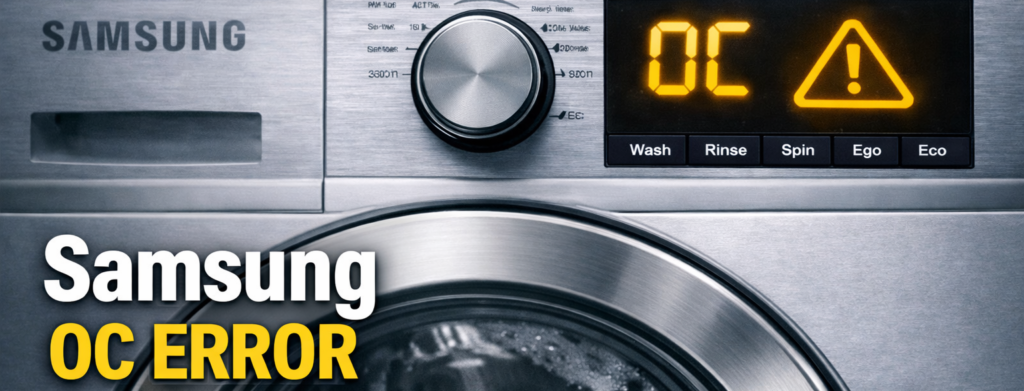
The Samsung OC Error appears when your washing machine detects too much water inside the drum, and it’s one of the simplest Samsung faults to diagnose at home. This guide shows you the real causes, the fixes that actually work, and the quick checks you can do before calling a technician. Instead of panicking or calling a technician straight away, this guide walks you through the real‑world causes, the fixes that actually work, and the quick checks you can do before spending a penny. Whether the OC code appears at the start of a cycle, mid‑wash, or right before draining, the steps below will help you find the problem fast and get your machine running normally again.
Although the error looks serious, it is usually caused by something simple. Most of the time, the issue comes from a drainage problem, a blocked pressure sensor, or water flowing back into the drum. In many cases, the machine is not actually overflowing — it just believes it is. Once you understand the real cause, the fix becomes much easier.
What Causes the Samsung OC Error?
Table of Contents
The OC Error appears when the washer detects a water level that is higher than normal. Several things can trigger this:
- Blocked drain hose Water cannot leave the machine, so the drum fills too high.
- Blocked drain filter Lint, coins, hair, and debris stop water from draining.
- Clogged or faulty pressure sensor The machine cannot read the water level correctly.
- Water siphoning back into the drum This happens when the drain hose is too low or inserted too far.
- Faulty inlet valve Water continues entering even when the machine is off.
- Too much detergent Excessive suds can trick the machine into thinking it is overfilled.
The Samsung OC Error is triggered when the washer detects an incorrect water level. Many Samsung models show the Samsung OC Error when drainage slows down or water flows back into the drum.
How to Fix the Samsung OC Error
1. Check the Drain Hose (Most Common Fix)
A blocked or incorrectly positioned drain hose is the number one cause of the OC Error.
Look for:
- Kinks
- Twists
- Blockages
- Hose pushed too far into the standpipe
If the hose is inserted more than 6 inches into the drain pipe, water can siphon back into the drum.
Fix: Pull the machine forward, straighten the hose, and make sure it sits at the correct height (60–90 cm from the floor).
2. Clean the Drain Filter
A blocked drain filter stops water from leaving the drum. When water cannot drain, the machine thinks it is overfilling.
How to clean it:
- Turn off the machine
- Open the bottom access panel
- Place a tray or towel underneath
- Twist the filter anti‑clockwise
- Remove lint, coins, hair, or debris
- Rinse and reinstall
This simple step fixes the OC Error in many cases.
3. Check the Pressure Sensor (Water Level Sensor)
The pressure sensor tells the machine how much water is inside. If it is clogged or faulty, the washer may think the drum is overflowing even when it is not.
Signs of a pressure sensor issue:
- Random OC errors
- Machine overfilling
- Water not stopping during fill
- Drum filling when the machine is idle
Fix: This usually requires removing the top panel and checking the small rubber pressure hose for blockages. If you are not comfortable doing this, a technician can handle it quickly.
4. Check for Water Siphoning
If the drain hose is too low or lying flat, water can flow back into the drum.
Fix: Raise the drain hose to the recommended height (60–90 cm). Make sure it forms a proper “U” shape at the standpipe.
5. Inspect the Inlet Valve
If the inlet valve is stuck open, water will continue entering the machine even when it should not.
Signs of a faulty inlet valve:
- Water slowly fills the drum when the machine is off
- You hear trickling sounds
- The drum fills overnight
If this happens, the inlet valve likely needs replacing.
6. Reset the Machine
After fixing the issue:
- Turn the machine off
- Unplug it for 2 minutes
- Plug it back in
- Run a quick cycle to test
A reset clears the error once the underlying problem is fixed.
How to Prevent the OC Error
Once you have fixed the issue, a few simple habits can stop the OC Error from returning:
- Clean the drain filter every 4–6 weeks
- Keep the drain hose at the correct height
- Avoid using too much detergent
- Check the pressure hose occasionally
- Make sure the machine is level
- Avoid pushing the machine too far back against the wall
Extra Tips for Long‑Term Reliability
If the Samsung OC Error keeps returning, it usually means the pressure sensor or drain system needs attention. It may also be caused by:
- A partially blocked standpipe
- A weak drain pump
- A failing pressure sensor
- A slow leak in the inlet valve
Running a monthly drum clean cycle also helps prevent residue buildup, which can cause false water‑level readings.
Samsung OC Error FAQ
Is the OC Error dangerous? Not usually. The machine stops itself to prevent flooding.
Can I still use the washer with the OC Error? No — the machine will not run until the issue is fixed.
Does the OC Error mean the machine is actually overflowing? Not always. Most of the time, it is a drainage or sensor issue.
Helpful Links
For official guidance, visit Samsung Support: https://www.samsung.com/uk/support/
If your washer isn’t draining, see our guide on the Samsung 5E Error:
https://how2not2.com/samsung-5e-error/(how2not2.com in Bing)For water‑supply issues, check the Samsung 4C Error guide:
https://how2not2.com/samsung-4c-error/(how2not2.com in Bing)If your machine is shaking or going unbalanced, read the Samsung UB Error guide:
https://how2not2.com/samsung-ub-error/(how2not2.com in Bing)For Hoover machines that won’t drain, see the Hoover E03 Error guide:
https://how2not2.com/hoover-e03-error/(how2not2.com in Bing)Related Samsung Fixes
If your Samsung washer shows other codes, these guides will help: