
Hoover E07 error messages appear when the washing machine detects a door lock or motor speed sensor fault, causing the cycle to stop for safety — but most causes are simple to fix at home. It’s one of those codes that can look serious but often comes down to a simple connection issue or a worn part.
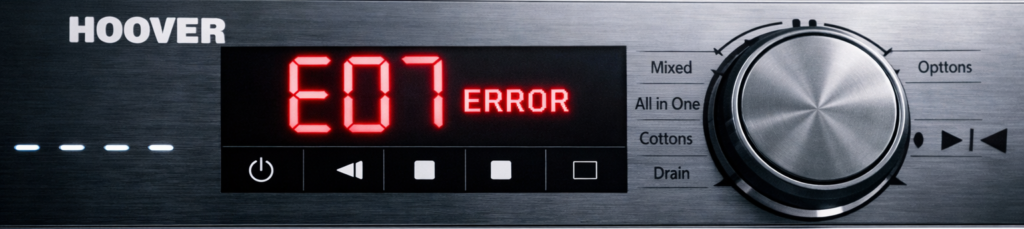
This guide explains what the Hoover E07 error means, the real causes, and the exact steps to fix it safely at home.
🔍 What the Hoover E07 Error Means
The E07 error signals that the machine can’t start or continue the cycle because it’s not getting the correct feedback from the door lock or motor speed sensor. It’s a safety stop — the washer pauses to prevent damage or flooding.
The Hoover E07 error is usually caused by a faulty door lock or loose wiring.
You’ll usually see E07:
- Right after pressing Start
- Mid‑cycle when the drum stops suddenly
- After a spin cycle fails to begin
You can often fix the Hoover E07 error by checking the latch and securing the connectors.
⚠️ Common Causes of the Hoover E07 Error
1. Faulty door lock mechanism
If the door doesn’t click firmly, the machine won’t start.
2. Loose wiring to the door lock
A loose connector can interrupt the signal.
3. Worn or damaged door latch
Physical wear prevents proper locking.
4. Faulty motor speed sensor
If the sensor can’t read drum speed, the machine halts.
5. Damaged wiring harness
Vibration can loosen or break wires over time.
6. Control board fault (rare)
If the PCB can’t read the lock or sensor, E07 appears instantly.
🛠️ How to Fix the Hoover E07 Error (Step‑by‑Step)
1. Reset the machine
- Turn it off
- Unplug for 2 minutes
- Plug back in
- Restart the cycle
If E07 returns, continue below.
2. Check the door lock
If the Hoover E07 error appears when starting a cycle, the door lock may not be engaging properly. Open and close the door firmly. Listen for the click — if it feels loose or doesn’t engage, the lock may need replacing.
A worn latch or sensor can also trigger the Hoover E07 error, especially on older Hoover models.
3. Inspect the door latch
Look for cracks or worn plastic. If the latch doesn’t align properly, the lock won’t engage.
4. Check wiring to the door lock
Remove the top panel and inspect the connectors. Make sure they’re tight and free from corrosion.
5. Inspect the motor speed sensor
Located on the back of the motor, this sensor reads drum speed. If it’s loose or dirty, clean and reseat it.
6. Check the wiring harness
Look for damaged or frayed wires between the motor and control board. Replace or repair as needed.
7. Replace faulty parts
If the door lock or sensor is confirmed faulty, replacements are inexpensive and easy to fit.
🧼 How to Prevent the E07 Error in Future
- Close the door gently but firmly
- Avoid slamming the door
- Keep wiring secure when moving the machine
- Clean the door seal regularly
- Don’t overload the drum
Routine care prevents most E07 issues.
If your Hoover washer won’t drain, check the full Hoover E03 Error Fix: https://how2not2.com/hoover-e03-error/
For heating issues, see the Hoover E05 Error Guide: https://how2not2.com/hoover-e05-error/
If your washer won’t start, read the Hoover E01 Error Fix: https://how2not2.com/hoover-e01-error/
For water fill problems, see the Hoover E02 Error Guide: https://how2not2.com/hoover-e02-error/
If your machine won’t empty fast enough, check the Hoover E04 Error Fix: https://how2not2.com/hoover-e04-error/
For motor faults, see the Hoover E06 Error Guide: https://how2not2.com/hoover-e06-error/
FAQs
Q: What causes the Hoover E07 error? A: Usually a faulty door lock, latch, or motor speed sensor.
Q: Can I fix the E07 error myself? A: Yes — most E07 issues are caused by loose connections or worn locks.
Q: Does E07 mean the control board is broken? A: Rarely. Check the door lock and wiring first.
https://how2not2.com/hoover-e03-error/
https://how2not2.com/hoover-e05-error/
https://how2not2.com/hoover-e01-error/
https://how2not2.com/hoover-e02-error/
https://how2not2.com/hoover-e04-error/
https://how2not2.com/hoover-e06-error/