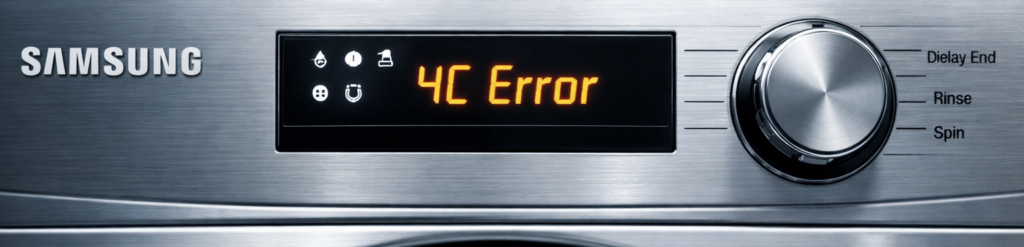
What Causes the Samsung 4C Error?
The Samsung 4C error appears when your washing machine isn’t getting enough water during the fill cycle. It’s one of the most common Samsung faults, and although it looks serious, the cause is usually something simple: the machine can’t pull in water fast enough, so it stops the cycle to protect itself. Samsung washers are designed to monitor water flow constantly. If the flow drops below the expected level, the machine immediately throws the 4C code to prevent overheating, motor strain, or running a wash with barely any water.
Table of Contents
Most of the time, the 4C error comes down to a restriction somewhere between your household water supply and the machine’s internal inlet valve. This can be caused by low water pressure, a kinked hose, a partially blocked filter, or a valve that isn’t opening fully. Even a small reduction in flow can trigger the error, especially on newer Samsung models that are more sensitive to pressure changes. Homes with hard water, older plumbing, or shared supply lines tend to experience this issue more often.
Another common cause is debris or limescale trapped in the tiny mesh filters inside the inlet hoses. These filters are designed to protect the machine, but over time they clog up and reduce the water flow. In winter, partially frozen pipes can also slow the supply enough to trigger the 4C code. And in some cases, the hot and cold hoses may be connected the wrong way around, confusing the machine’s temperature sensors.
The good news is that the Samsung 4C error is almost always fixable at home. Once you understand what’s restricting the water flow, you can work through the checks quickly and get the machine filling properly again.
Why the Samsung 4C Error Happens
The most common causes include:
1. Water Tap Not Fully Open
If the water tap isn’t fully open, the machine can’t pull in enough water during the fill cycle. Even a half‑turned tap slows the flow enough to trigger the Samsung 4C error. Make sure the cold‑water tap is fully open and turning freely to restore proper water pressure.
2. Kinked or Twisted Inlet Hose
A kinked or twisted inlet hose can slow the water flow enough to trigger the Samsung 4C error. This often happens when the machine is pushed too far back or the hose is too short. Straighten the hose fully and make sure it isn’t being crushed behind the washer.
3. Blocked Mesh Filter (Most Common)
A blocked mesh filter is the most common cause of the Samsung 4C error. These tiny filters sit inside the inlet hose connections and trap limescale, grit, and rust. When they clog, water flow drops instantly. Removing the hoses and rinsing the filters usually fixes the issue within minutes.
4. Low Household Water Pressure
Low household water pressure can easily trigger the Samsung 4C error. If the machine can’t fill fast enough, it stops the cycle for safety. Pressure often drops during peak times, in older houses, or in properties with shared supply lines. Running the washer at quieter times usually prevents this.
5. Frozen Pipes (Winter)
In cold weather, frozen or partially frozen pipes can slow the water supply enough to trigger the Samsung 4C error. Even if the pipe isn’t fully frozen, reduced flow will stop the machine filling properly. This is common in garages, outhouses, and unheated utility rooms during winter.
6. Faulty Inlet Valve (Less Common)
A faulty water inlet valve can also trigger the Samsung 4C error. If the valve doesn’t open fully, the machine receives only a small trickle of water. This slows the fill cycle and causes the error to appear. A buzzing sound during filling is a common sign the valve is failing.
7. Plumbing or Stopcock Issues
If your home’s stopcock isn’t fully open or there’s a restriction in the plumbing, the washing machine won’t receive enough water. Even a partially closed stopcock can slow the flow and trigger the Samsung 4C error. Make sure the main stop tap turns freely and is fully open.
How to Fix the Samsung 4C Error (Step‑by‑Step)
1. Check the Water Tap (Fastest Fix)
Make sure the tap feeding the washing machine is fully open. The water tap is usually located under the sink. This is the cold‑water tap, usually marked with a blue handle or a silver isolation valve.
What to check:
If the water tap isn’t fully open, the machine can’t pull in enough water during the fill cycle. Even a slightly closed tap slows the flow and triggers the Samsung 4C error. Turn the cold‑water tap fully anticlockwise and make sure it moves freely without stiffness.
2. Straighten the Inlet Hose
Pull the machine forward slightly and inspect the hose behind it. A kinked or twisted inlet hose can restrict water flow enough to trigger the Samsung 4C error. This often happens when the machine is pushed too far back or the hose bends sharply behind it. Pull the washer forward slightly and straighten the hose so water can flow freely.
Look for:
- Kinks
- Twists
- Compression against the wall
- Hose bent at the connector
Straighten the hose so water can flow freely.
Correct hose positioning:
- No sharp bends
- No crushing
- Enough space behind the machine
Samsung hoses are flexible but can easily kink when the machine is pushed back too far.
3. Clean the Mesh Filter (Most Common Fix)
The mesh filter is located inside the inlet connection on the back of the machine. It traps debris from the water supply and is the number one cause of the 4C error.
How to clean it (technical):
- Turn off the water tap.
- Unscrew the inlet hose from the back of the machine.
- Use needle‑nose pliers to gently pull out the mesh filter.
- Rinse it under the tap to remove grit, limescale, and debris.
- If heavily scaled, soak it in white vinegar for 10 minutes.
- Reinstall the filter and reconnect the hose.
- Turn the tap back on and test the machine.
Signs the filter was the problem:
- Water flow improves instantly
- Machine fills normally after cleaning
- 4C error disappears immediately
If you live in a hard‑water area, this filter can block every few months.
4. Check Household Water Pressure
If the machine still shows 4C, test your home’s water pressure. Low household water pressure is a common cause of the Samsung 4C error. If the machine can’t fill quickly enough, it stops the cycle for safety. Pressure often drops during busy times of day or in older homes. Running the washer during quieter hours usually prevents the issue.
How to check:
- Run a tap in the kitchen or bathroom
- If the flow is weak, the issue may be with your home’s supply
- Check if other appliances (dishwasher, shower) also have low pressure
Possible causes of low pressure:
- Partially closed stopcock
- Local water supply issues
- Blocked internal plumbing
- Shared supply in flats
Samsung washers require a minimum pressure to fill correctly.
5. Inspect for Frozen Pipes (Winter Only)
If temperatures are low, the inlet pipe may be frozen.
Signs of frozen pipes:
- No water flow at all
- Tap feels unusually cold
- Frost or condensation on the pipe
- 4C error appears immediately at cycle start
Fix:
Allow the pipe to thaw naturally. Do not use direct heat (hairdryer, heater, boiling water).
6. Check the Inlet Valve (Technical Diagnosis)
If all external checks are fine, the inlet valve may be failing. A failing water inlet valve can restrict flow even when the tap and hoses are fine. If the valve doesn’t open fully, the machine receives only a weak trickle and triggers the Samsung 4C error. A buzzing sound during filling often indicates the valve coil is weakening or partially stuck.
Symptoms of a faulty inlet valve:
- Slow fill even with good pressure
- Clicking sounds but no water flow
- Water trickling instead of flowing normally
- Machine fills only on one temperature setting
How to test the valve (technical):
- Unplug the machine.
- Remove the top panel.
- Locate the inlet valve assembly.
- Check for leaks or cracks.
- Test the solenoid coils with a multimeter (typically 2–4 kΩ depending on model).
- If open‑circuit or shorted, replace the valve.
Valve failure is rare but possible, especially on older machines.
7. Check Internal Plumbing (Advanced)
If the machine still shows 4C, the issue may be inside the appliance. If all external checks are fine, the issue may lie within the home’s internal plumbing. Partial blockages, old pipework, or restrictive fittings can reduce water flow enough to trigger the Samsung 4C error. This is less common but worth investigating if pressure is low throughout the property, not just at the washer.
Possible internal causes:
- Blocked internal inlet pipe
- Faulty pressure sensor
- Loose wiring to the inlet valve
- Control board not sending power to the valve
These issues are less common and usually require a technician.
8. Reversed Hot/Cold Hoses
If the hot and cold hoses are connected the wrong way around, the machine detects the wrong temperature during filling and triggers the Samsung 4C error. This is common after moving or reinstalling the washer. Make sure the cold hose goes to the cold tap and the hot hose to the hot tap.
How to Prevent the Samsung 4C Error
1. Keep the Inlet Filters Clean
Rinse the mesh filters every 6–12 months to stop limescale and grit from building up.
2. Don’t Push the Machine Too Far Back
Leave a small gap so the inlet hose doesn’t kink or crush against the wall.
3. Check the Water Tap Regularly
Make sure the cold‑water tap is fully open and moves freely.
4. Maintain Good Water Pressure
Avoid running the washer during peak‑use times if your home has borderline pressure.
5. Protect Pipes in Winter
Insulate exposed pipes in garages or utility rooms to prevent freezing and slow flow.
6. Replace Old or Stiff Hoses
Aging hoses kink more easily and restrict water flow — replace them every few years.
7. Install a Limescale Filter (Hard‑Water Areas)
A simple inline filter reduces mineral buildup and keeps the inlet valve and filters clear.
8. Run a Maintenance Wash Monthly to Prevent Residue Buildup
These simple steps keep water flowing correctly and prevent the 4C error from returning.
Reduce Detergent Use
Using too much detergent creates excess suds, which slows water flow and can contribute to the Samsung 4C error. Modern machines need far less detergent than older models. Measure carefully, use the recommended dose for your load size, and reduce it further in soft‑water areas to keep the washer running smoothly.
Samsung 4C Error FAQ
1. What does the Samsung 4C error mean?
The 4C error means your washing machine isn’t getting enough water during the fill cycle. The machine stops the wash to protect itself from running with low water levels.
2. What causes the Samsung 4C error?
Most commonly: a blocked mesh filter, kinked hose, low water pressure, a half‑open tap, or a failing inlet valve. Anything that restricts water flow can trigger the code.
3. How do I fix the Samsung 4C error?
Check the water tap, straighten the hose, clean the inlet filters, and make sure your household water pressure is normal. If the valve is faulty, it may need replacing.
4. Where are the inlet filters located?
They sit inside the ends of the cold‑water inlet hose. Remove the hose, pull out the tiny mesh filters with pliers, rinse them, and reinstall.
5. Can low water pressure cause the 4C error?
Yes. If the machine can’t fill fast enough, it stops the cycle. Pressure often drops during peak times or in older homes.
6. Why does my machine show 4C only sometimes?
Intermittent 4C errors usually mean borderline water flow — slightly kinked hoses, partially blocked filters, or pressure that fluctuates during the day.
7. Can frozen pipes trigger the 4C error?
Absolutely. Even a partially frozen pipe slows the flow enough to cause the error, especially in garages or cold utility rooms.
8. Do I need a technician for the 4C error?
Only if the inlet valve is faulty, the machine buzzes during filling, or you’ve checked everything external and the error still returns.
9. Is the 4C error the same as 4E?
Yes — Samsung uses 4C and 4E interchangeably depending on the model and region.
Helpful Links
Official Samsung Support: https://www.samsung.com/uk/support/
Samsung Washer Troubleshooting https://www.samsung.com/uk/support/home-appliances/washing-machines/
Samsung 5E Error (Drain Issue) Samsung 5E Error — Causes, Fixes, and Prevention (Technical Guide)
Samsung OC Error (Overfill Issue) Samsung OC Errorcauses-fixes-and-prevention/
Samsung UB Error (Unbalanced Load) Samsung UB Error — 7 Powerful Fixes (Fast Guide)